
Boolean Operators and Keywords
If you wish to get even more granular in your searches, using CQ's Boolean Operators can help. Using boolean means combining certain words, phrases and symbols with keywords of your choice to drill down to specific, relevant search results.
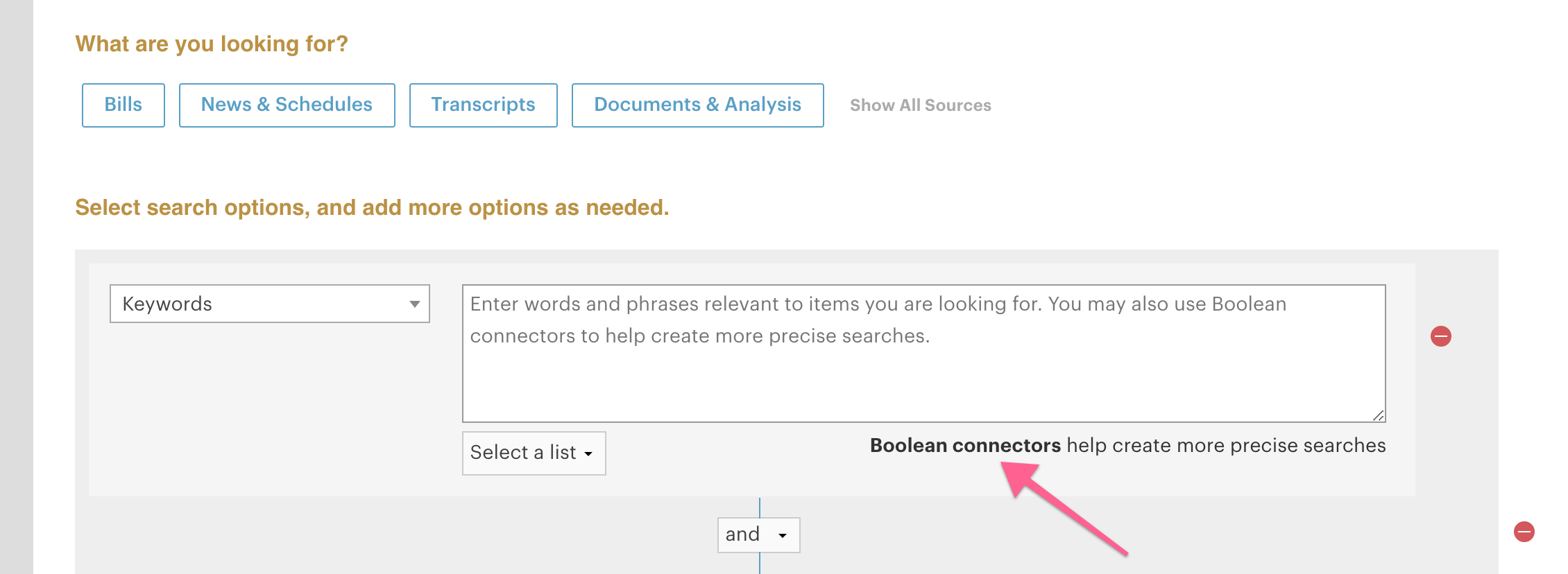
Linked above is the guide to CQ's Boolean, which is explained in-depth below, but you can always access it by clicking the link on the Advanced Search page (highlighted below).
What are the Boolean Operators?
| Enter: | To Receive Documents that Contain: |
| "juvenile delinquent" |
this phrase exactly as you entered it |
| juvenile delinquent |
both words, together or apart, in any order. NOTE: juvenile and delinquent is equivalent to juvenile delinquent and returns the same results |
| juvenile or delinquent |
either word, but not necessarily both. NOTE: juvenile, delinquent is equivalent to juvenile or delinquent and returns the same results
|
| juvenile not delinquent |
the first but not the second word
|
| juvenile <near> delinquent |
both words, within about 600 words of each other, in any order
|
| juvenile <near/5> delinquent |
both words within 5 (or any number you specify) words of each other, in any order
|
| juvenile <phrase> (criminal or delinquent) |
either of the words in parentheses follows the other word, as a phrase
|
| juvenile and (criminal or delinquent) |
either of the words in parentheses, and also the other word. The parentheses take precedence over the "and" connector
|
| juvenile and criminal or delinquent |
both the word juvenile and the word criminal, or the word delinquent. The "and" connector takes precedence over the "or" connector
|
How do I use them?
Once you've selected all the criteria you'd like for your search, make sure you have one open for "Keywords." This is where you will type your chosen keywords and Boolean operators.
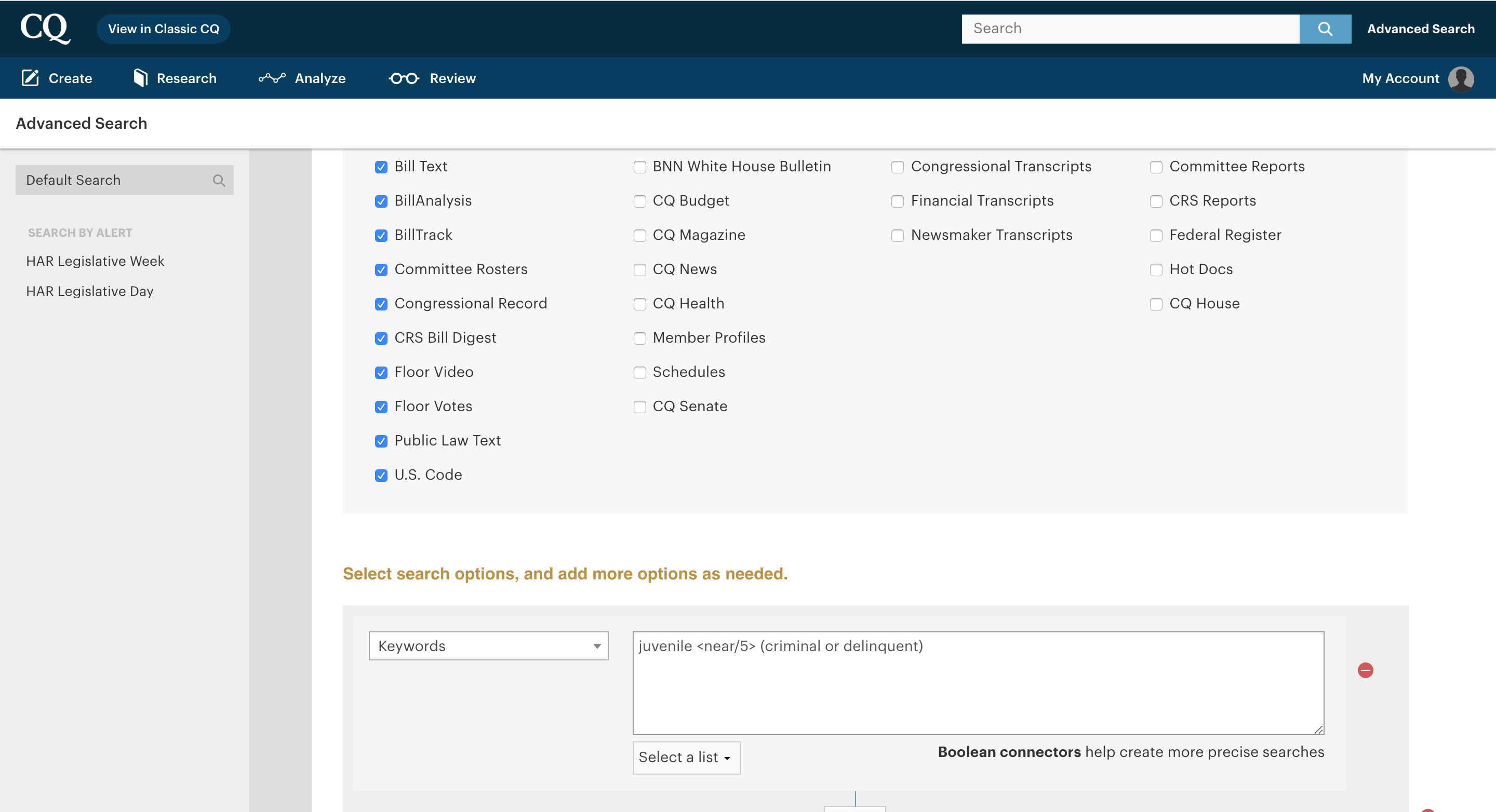
Note that CQ Federal will expand any keywords used into all word endings, unless otherwise instructed. For example, "boat" would include "boats" and "boating."
If you'd like to have the search yield only that word in the form you type it, for example, just "boat," adding "+" prior to the word, "+boat," will look only for the word as written.
Bear in mind that precedence defines the order in which the elements of a "words or phrases" search are evaluated. In CQ Federal, the order of precedence is:
- parentheses ( )
- <phrase>
- <near>
- and
- or
- not
The best way to understand Boolean precedence is through the lens of Order of Operations in math, such as equations in parentheses being done first.
Example Boolean Searches
Here are some common searches that help illustrate use cases for Boolean.
|
Enter: |
To Receive Documents that Contain: |
| juvenile <near/5> (delinquent, criminal) | Entering "delinquent" and "criminal" in parentheses separated by a comma tells the system to find juvenile within five words of either delinquent or criminal. |
| juvenile <near/8> (delinquent, +criminal, felony), minor <near/8> (delinquent, +criminal, felony) | This tells the system to find the word juvenile within eight words of either delinquent, only the word criminal, or felony, or to find the word minor within eight words of either delinquent, criminal or felony. |
| "juvenile (delinquent, criminal)" | Using quotes tells the system to search for that specific phrase. This example would tell the system to find either "juvenile delinquent" or "juvenile criminal." |
Jumping to Keywords
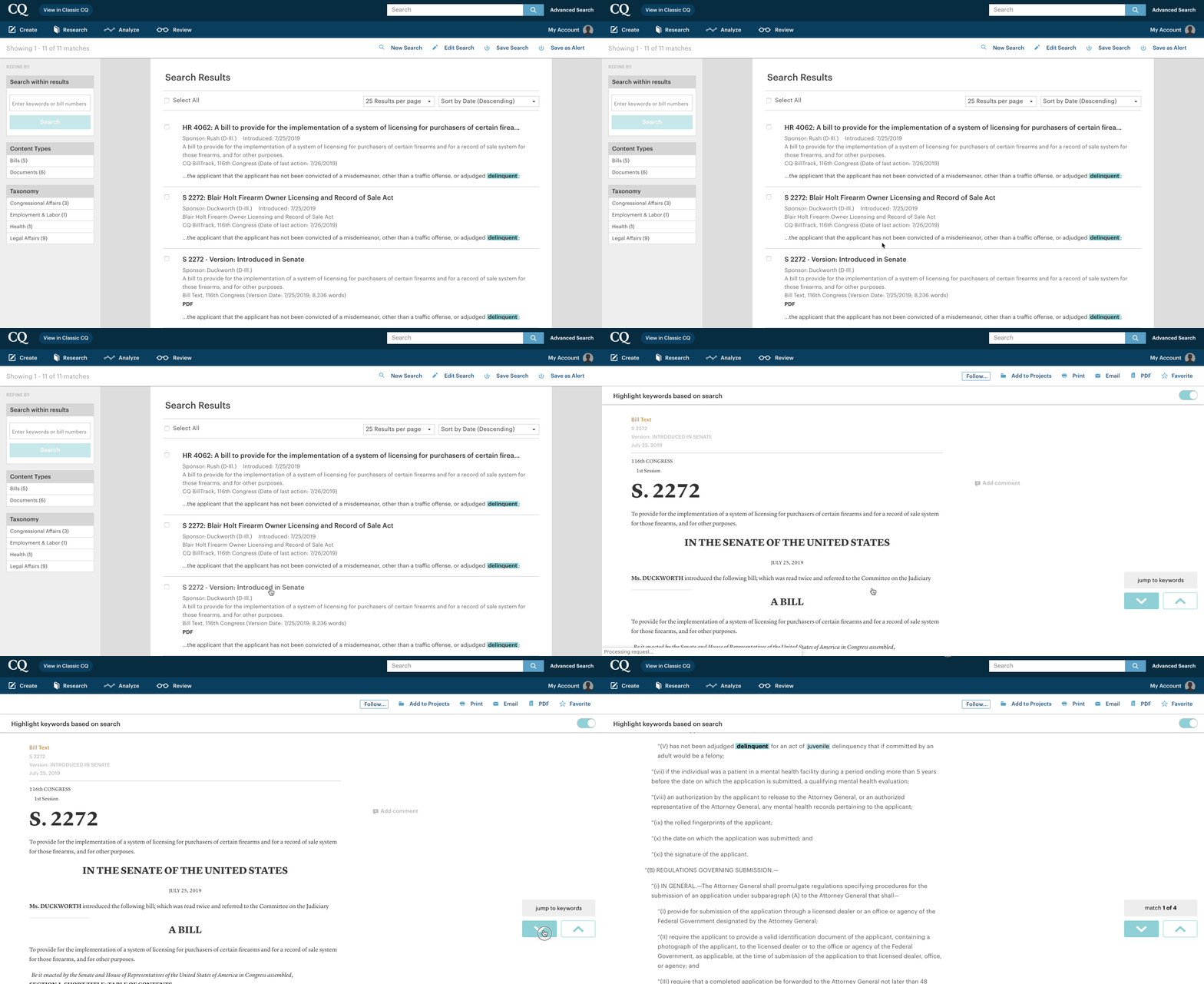
Once you've conducted your Boolean search, hit "Search" to see your results. You can filter through your results, but most importantly, by clicking into your chosen result, you can jump to the keywords you were searching for within the document.
If you have any questions on how to best use Boolean, reach out to help@cq.com.
Comments
Article is closed for comments.