
- Video Overview
- Downloadable PDF
- Where are Member Profiles?
- What information is included in Member Profiles?
Video Overview
Unique to CQ, Member Profiles offer a variety of detailed information about a member's staff, state & districts, biography, voting history, legislative priorities, committee assignments and more. See below to discover all the information available in Member Profiles, how to use them and where to find them.
Downloadable PDF
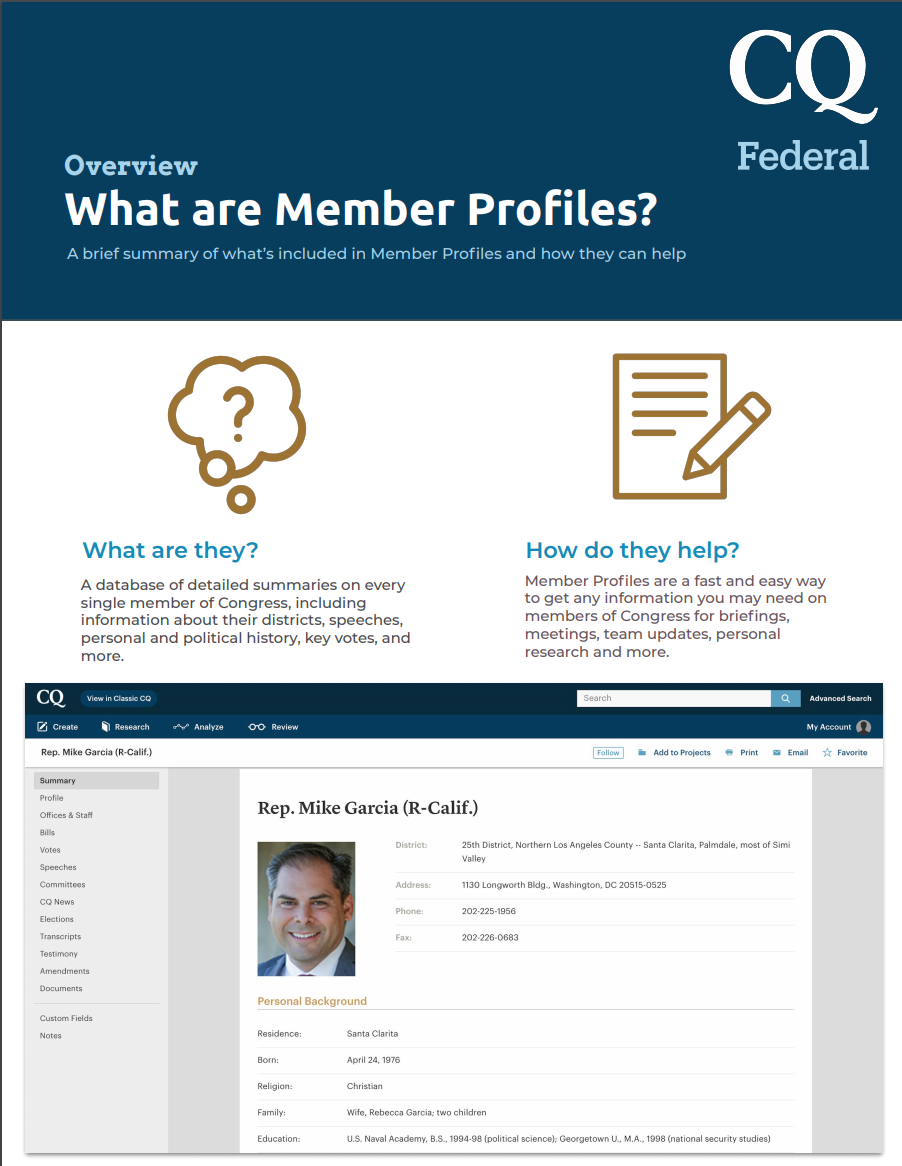
Where are Member Profiles?
Simply navigate to Research ➝ Member Info ➝ Type in the member you'd wish to research.
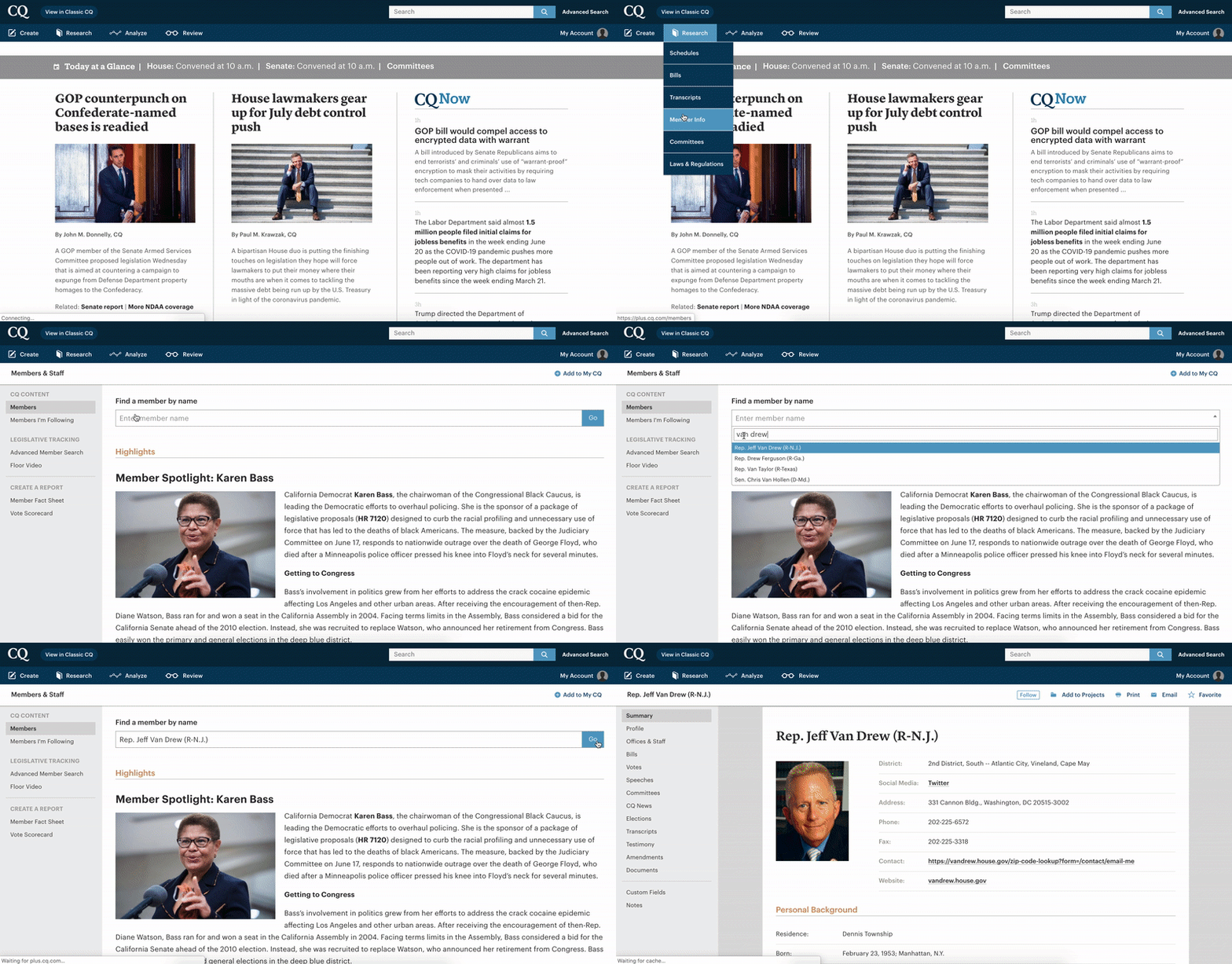
What information is included in Member Profiles?
This image shows all information you can access within a member's profile, but the most often utilized features are highlighted below.
Profile Summary
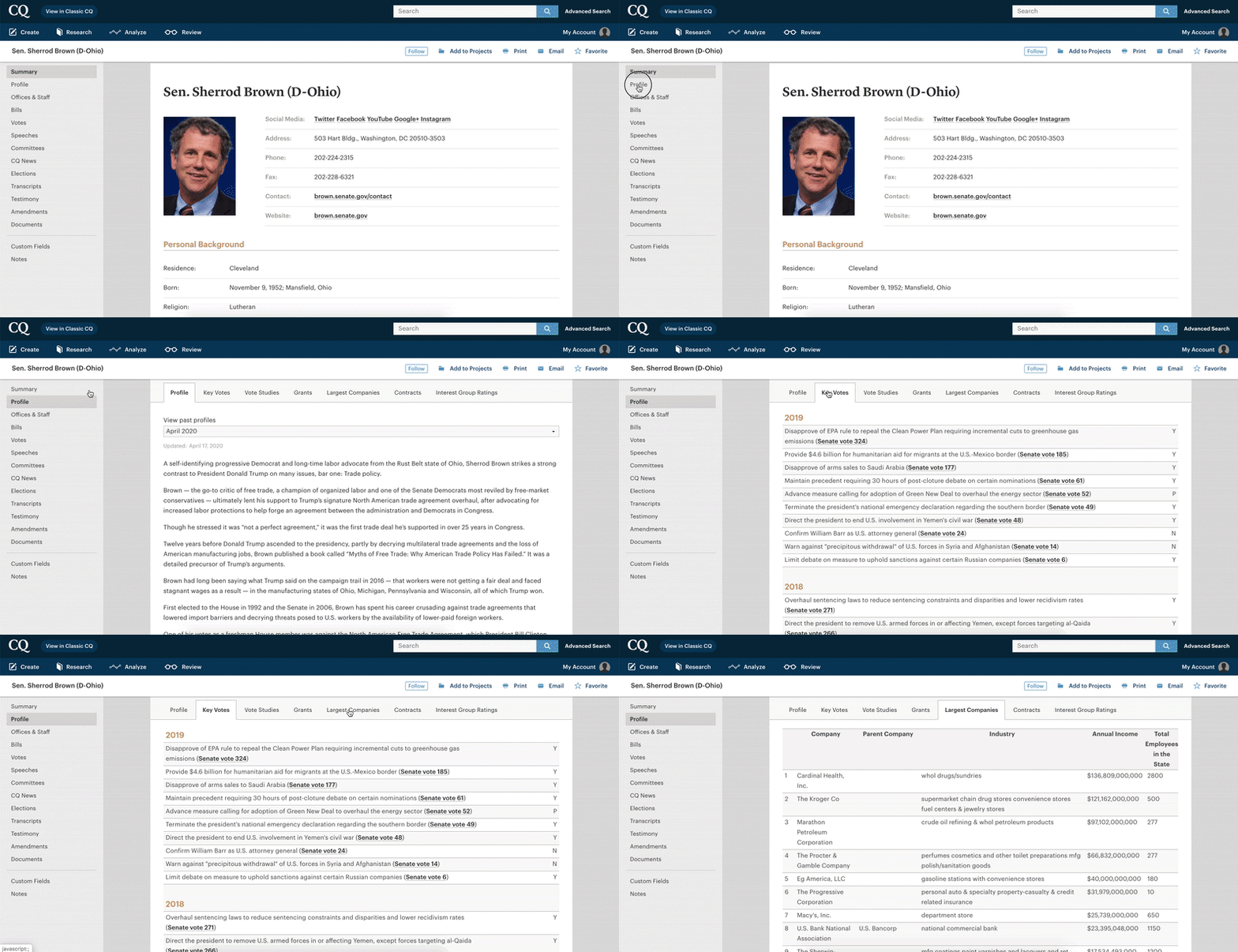
Apart from general biographical and contact information accessible within the 'Summary' tab, the 'Profile' tab offers a deeper dive into the member's legislative and congressional history, key votes and notable district information.
For example, the 'Largest Companies' tab includes a rundown of the largest organizations within the member's district.
Bill, Vote and Committee Information
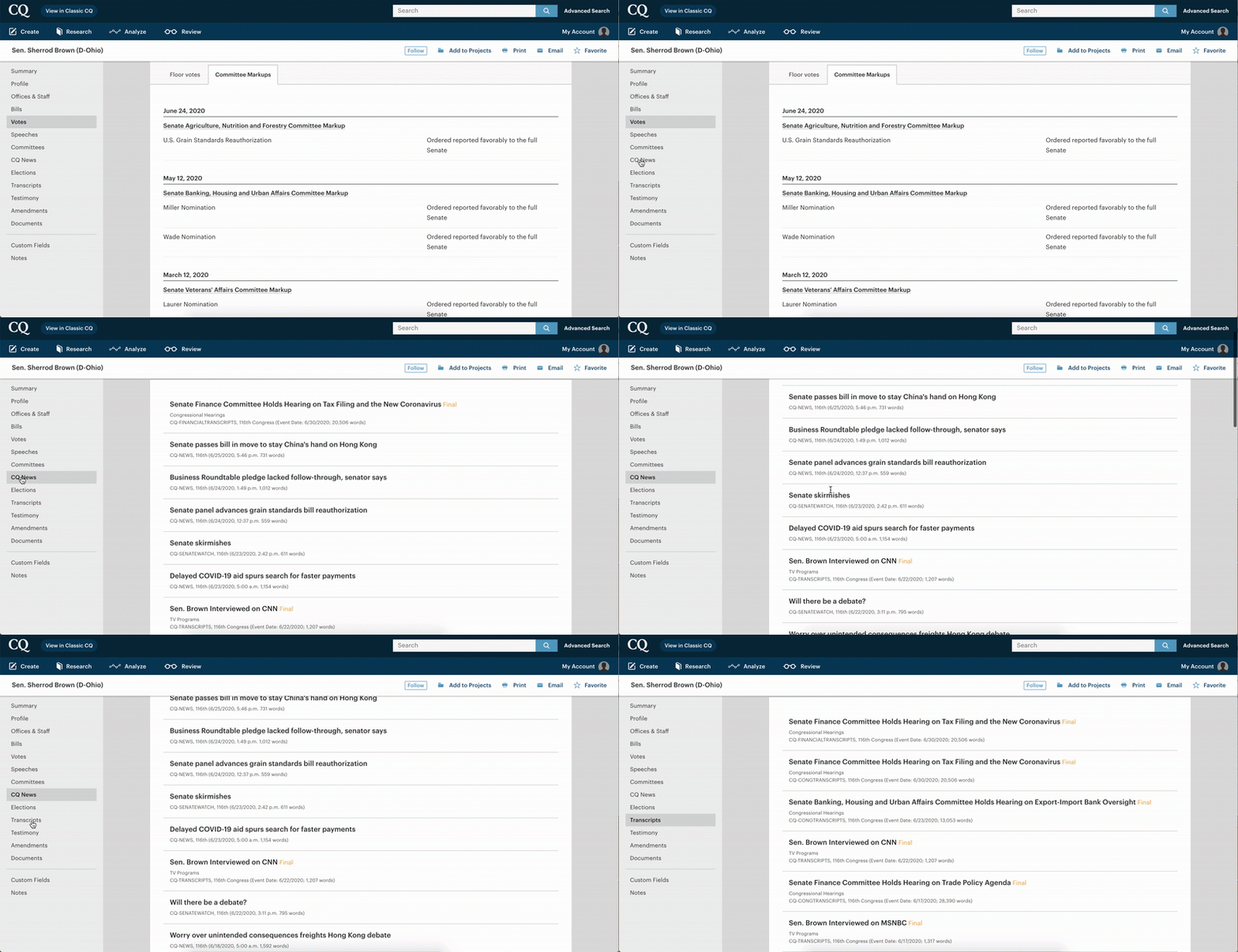
The 'Bills' section on the left hand side includes all bills sponsored or cosponsored by the member this session, while the 'Votes' session includes all floor votes taken this session.
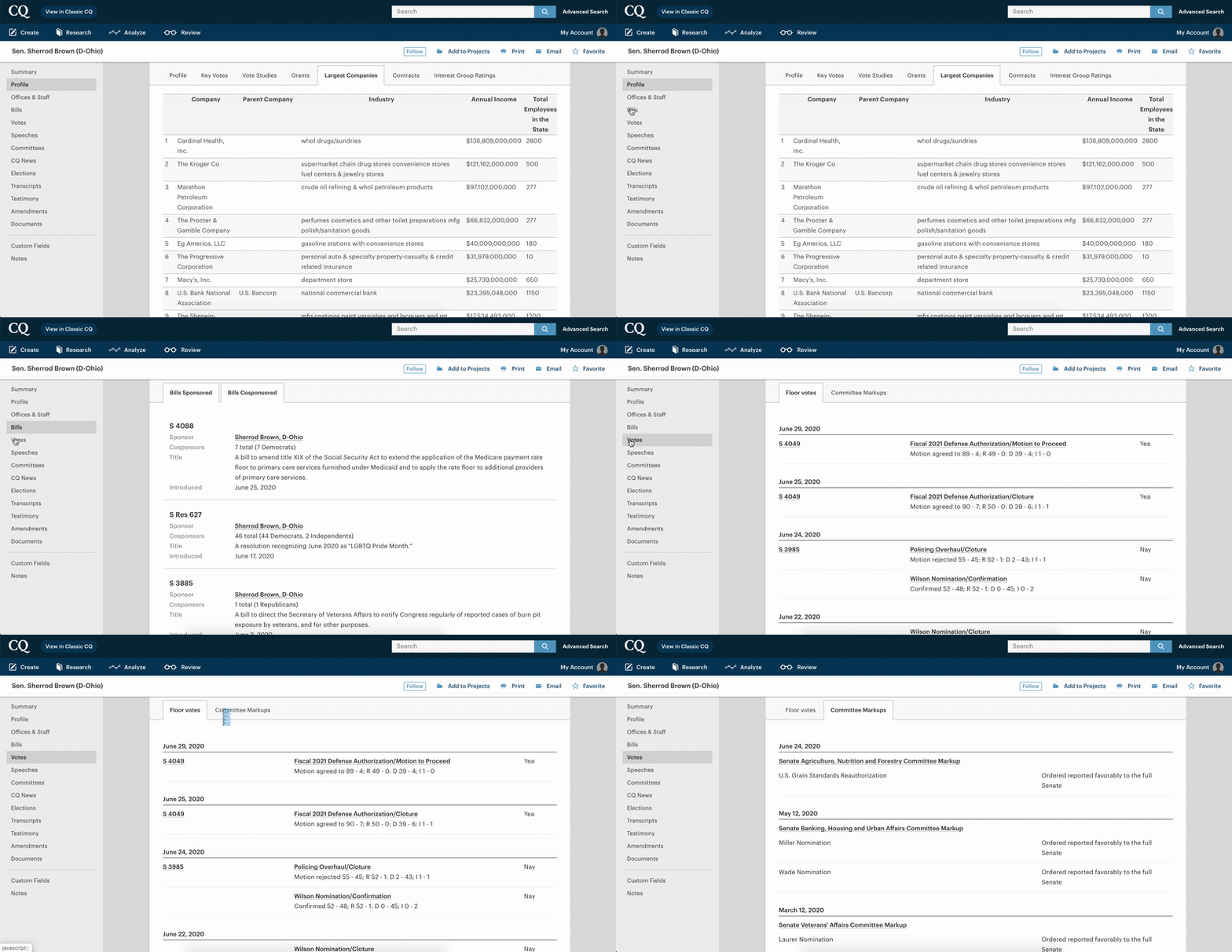
You can also view specific committee information, including their committee assignments; previous markups with transcripts and committee reports, and scheduled hearings.
News and Transcripts Content
Clicking into 'CQ News' will show all CQ News and Transcripts content in which the member is mentioned (Including CQ News, CQ Magazine, etc), while 'Transcripts' shows only the congressional, newsmaker and financial transcripts in which the member is mentioned.
Comments
Please sign in to leave a comment.